HAIR COLOR TRY-ON
Try a new hair color on your own photo.
A color you love in an inspiration photo can feel different beside your own face. Muse uses your portrait and a reference image to create an AI hair preview, so you can explore a direction before a real change.
Hair mode follows both color and hairstyle in the reference. Use it to explore a new tone, a different shape, or the two together. Muse is coming soon to iOS and Android.
See the transformation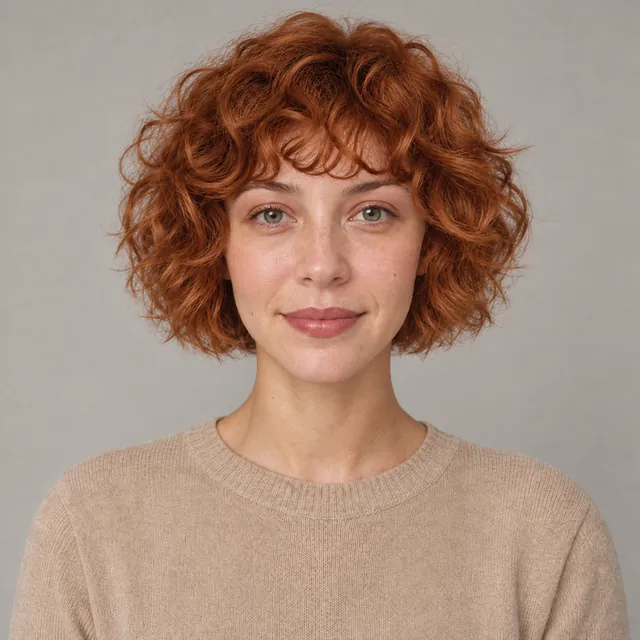
GENERATED WITH MUSE · HAIR + MAKEUP MODE
A copper tone, a softer curl shape
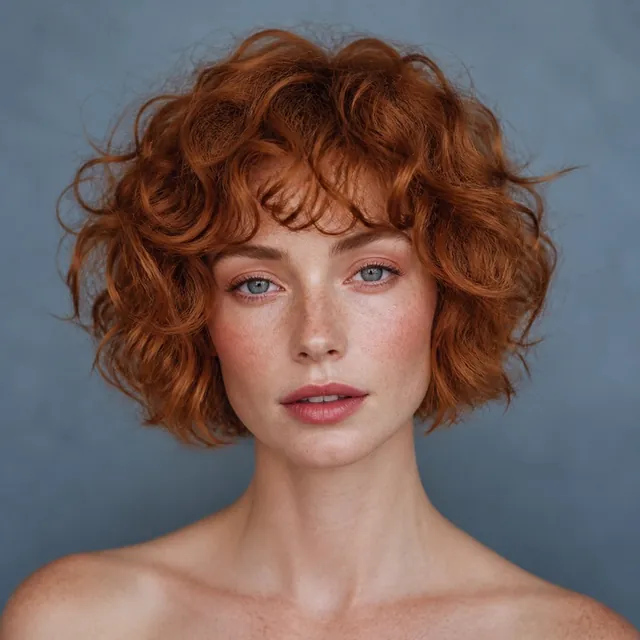
The Copper Curl Transformation starts with a brunette portrait and a copper hair reference. This complete-look example brings across the color, curls, fringe, and warm makeup while the original subject remains recognizable.

The portrait
The brunette portrait provides the face and the starting appearance. Keeping the original beside the result helps you judge the transformation in context.
The inspiration
The copper reference supplies a warm hair color, soft curl shape, and makeup direction. This example uses hair and makeup together.
The result
The generated look carries across copper curls, a soft fringe, and warm makeup while retaining recognizable facial features. It previews a complete look rather than an isolated color swatch.
Generated previews are inspiration. The result of an actual color treatment, haircut, or styling session can differ.
See all four Muse examplesBEFORE YOUR FIRST LOOK
Build a useful hair color preview
Start with visible hair
Choose a clear portrait showing your face, hairline, and as much of your current hair as possible. A hat, deep shadow, or tight crop can hide details you will want to compare.
Choose the whole hair direction
Look at the reference's color and shape together. If your main interest is color, a reference with a shape close to your current hair can make the visual comparison easier to interpret.
Use hair mode and compare
Select hair mode for the hair direction, or hair and makeup for a complete look. Review the tone, silhouette, and relationship to your face. Completed generations are saved automatically to your private Lookbook.
A CLOSER LOOK
Hair color try-on questions
01Does hair mode change only the color?
Hair mode can follow both the color and hairstyle in your reference. The copper example also includes makeup because it uses the combined mode. Choose hair alone when you want to explore just the hair direction.
02Can I combine a hair preview with makeup?
Yes. Choose hair and makeup to explore both directions together. The homepage's Soft Berry Complete Look and Plum Complete Look examples show this mode in use.
03Can Muse tell me how a hair dye will turn out?
Muse provides an AI visual preview, not a prediction of a specific dye or salon treatment. Your starting hair, the products used, and the coloring process affect a real result. Treat the preview as a reference for a conversation about the look you want.
EXPLORE MUSE